
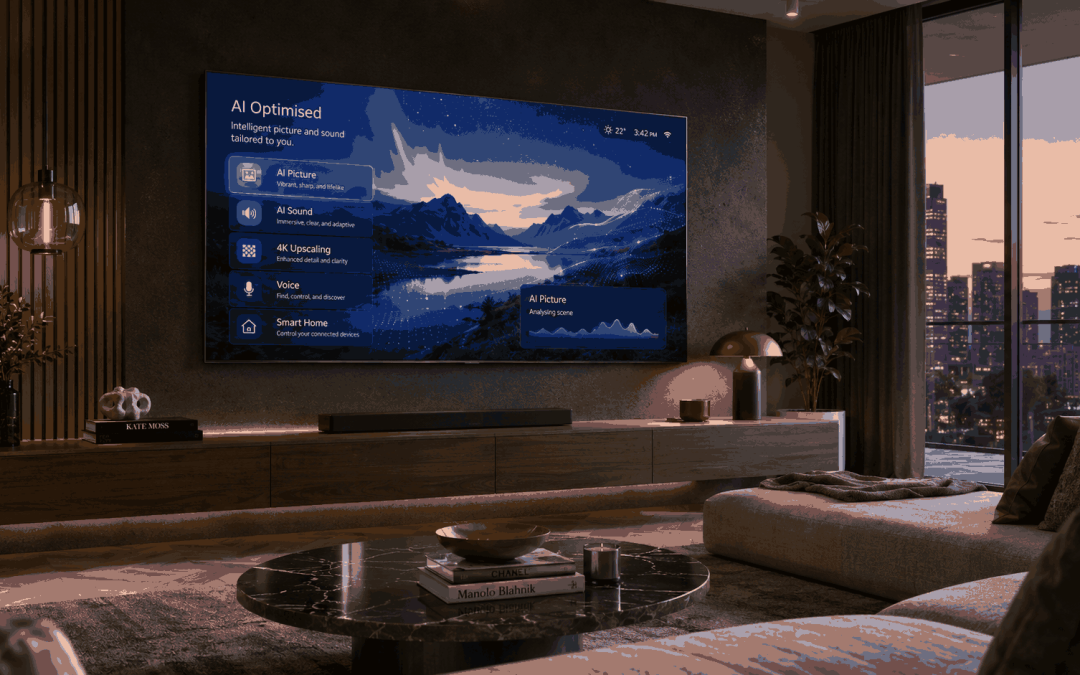
You may have noticed that a lot of new TVs now have AI written somewhere on the box, in the menu, or in the advertising.
But what does that actually mean? What purpose does AI have inside a TV, and is every brand’s version of AI doing the same thing?
Sometimes AI means the TV is trying to make the picture look better. Sometimes it means the TV is adjusting the sound. Sometimes it means voice control, recommendations or smart-home features. There are also privacy settings connected to some AI and smart TV features that are worth looking at before you just press accept on everything.
Most people are not buying a TV because they want the TV to be “AI-powered.” They are buying it because they want the picture to look good, the sound to be clear, the apps to work properly, and the TV to be easy to use.
So the real question is:
What does having AI on a TV actually mean?
AI means different things on different TVs
AI on a new TV can mean a few different things.
It can mean the TV is analysing the picture and trying to make it sharper. It can mean the TV is adjusting brightness, contrast, colour and motion depending on what you are watching. It can mean the TV is trying to make voices clearer. It can mean the TV is recommending shows, responding to voice commands, or connecting to smart-home devices.
That is why the term AI TV can be confusing. A Samsung TV, LG TV, Hisense TV, TCL TV and Sony TV may all mention AI, but they may not be using it in the same way.
Some brands are using AI mainly for picture and sound. Some are using it more for smart-home control and voice features. Some are using it as part of their content recommendation system. Some are using it for all of those things at once.
The most useful AI features are usually picture and sound
The most useful AI features on a TV are not always the most exciting ones in the advertising.
For normal everyday use, the most helpful AI features are usually things like:
- making lower-quality content look cleaner
- improving contrast and brightness
- helping sport look smoother
- making voices clearer
- adjusting sound depending on what you are watching
- reducing some of the work of changing picture settings manually
That is what most customers will actually notice.
If you are watching free-to-air TV, older Foxtel content, YouTube, sport, streaming apps or lower-resolution video, the TV may use AI upscaling and processing to make the picture look better than the original source.
That does not mean it can magically turn poor-quality video into perfect 4K. It just means the TV processor is trying to clean it up, sharpen it, reduce noise and make it look more acceptable on a large modern screen.
This matters more now because large TVs are becoming more common. A low-quality picture that looked acceptable on an old 42-inch TV can look much worse on a new 75-inch or 85-inch TV. The bigger the screen, the more obvious poor-quality content can become.
How is this different from normal TV processing?
TVs have always had processors inside them. Even older smart TVs had chips that controlled sharpening, colour, contrast, motion smoothing, noise reduction and upscaling.
So AI does not mean the TV has suddenly started processing the picture for the first time.
The difference is that newer AI processors are designed to analyse more of what is happening on the screen and make more specific adjustments in real time. Instead of applying the same type of processing to everything, the TV may try to recognise the type of content, the scene, the motion, the brightness, the source quality and sometimes even the sound.
That can make a difference when you are watching mixed content. A live sports broadcast, an old TV show, a dark movie scene, a YouTube video and a PlayStation game do not all need the same treatment.
A simple way to think about it is this:
Older processing was more fixed. AI processing is more adaptive.
That does not mean it is magic. The TV is still limited by the quality of the panel, the processor, the source signal and the picture settings. But the better AI processors can make smarter decisions from scene to scene, instead of treating everything the same way.
Most of the AI training happens before the TV gets to your home. The TV is not inventing a new picture engine every day while you watch it. But it can use those trained models to analyse the picture and sound in real time and adjust the result more intelligently than older basic processing.
That is why AI processing can be helpful with large modern TVs. The bigger the screen, the easier it is to notice poor-quality content, rough motion, low-resolution video or weak sound. A good AI processor can help clean some of that up, but it still cannot turn a poor source into a perfect one.
AI upscaling is one of the biggest features
AI upscaling is one of the main things TV brands talk about.
Upscaling means the TV takes lower-resolution content and tries to make it fit a higher-resolution screen. For example, if you are watching HD content on a 4K TV, the TV has to fill in the extra detail somehow.
AI upscaling is the newer version of that. The TV processor uses pattern recognition and image processing to guess how the picture should look at a higher resolution.
This can be helpful when watching:
- older TV shows
- free-to-air channels
- DVDs or older video sources
- older Foxtel content
- YouTube videos
- lower-quality streaming
- sport that is not coming through in full quality
But it is not magic. If the original source is very poor, the TV can only do so much.
A good way to think about it is this:
AI upscaling can improve a weak signal, but it cannot replace a good source.
So if someone buys a very expensive new TV and still watches low-quality content, they may not get the full benefit of the TV. The source still matters.
AI can also make the picture look too processed
AI picture processing is not always better.
Sometimes the TV can make the image look too sharp, too bright, too smooth, or too artificial. Some customers like that look, especially for sport or bright showroom-style viewing. Other customers hate it, especially when watching movies.
This is where AI can become a problem if the TV is left on the wrong mode.
For example, some motion settings can make movies look unnaturally smooth. Some sharpening settings can make faces and edges look harsh. Some brightness and contrast settings can make the image look impressive at first, but tiring to watch over time.
That is why it is worth knowing that AI features do not remove the need to choose sensible picture settings.
For sport, some motion processing may help. For movies, you may prefer a more natural picture mode. For gaming, you may want low input lag more than extra processing. For normal TV, you may want a balanced setting that does not make everything look overdone.
Samsung AI TVs
Samsung is pushing AI strongly through its newer TVs, especially with features like Vision AI, AI upscaling, SmartThings integration and voice assistant features.
With Samsung, AI is not only about picture quality. It is also about turning the TV into more of a smart screen.
Depending on the model, Samsung AI features may include:
- AI picture upscaling
- AI sound adjustment
- content recommendations
- voice assistant features
- SmartThings smart-home control
- gaming and sports picture features
- translation or information features on some newer models
- lifestyle features such as wallpapers or screen customisation
Samsung is probably the brand that most heavily connects AI with the whole TV ecosystem. The TV is not just being treated as a screen. It is also being treated as a smart-home device, a voice-controlled device, and a central screen for other connected features.
That can be useful if you already use Samsung phones, SmartThings, Samsung appliances, or other smart-home devices.
But there is one important point:
Not every Samsung TV with AI branding has the same AI features.
A high-end Samsung OLED or Neo QLED may have features that a cheaper Samsung model does not. So it is worth checking the exact model, not just assuming that “Samsung AI” means the same thing across the whole range.
LG AI TVs
LG’s AI features are more closely tied to picture and sound processing, especially on its OLED TVs.
LG talks a lot about its Alpha AI processors. On the higher-end LG OLED models, the processor helps with things like brightness, contrast, upscaling, motion, colour and sound adjustment.
The main benefit with LG is usually not that the TV becomes a smart assistant. The bigger benefit is that the processor is working with already strong OLED picture quality.
That matters because OLED TVs are often bought for picture quality in the first place. If the AI processing is doing its job properly, it should help the TV adjust the picture and sound without making it look too artificial.
LG’s AI features may include:
- AI picture processing
- AI upscaling
- AI sound adjustment
- room-based sound tuning
- content recommendations
- webOS personalisation
- voice assistant features on some models
LG can be a strong choice if the customer’s main priority is picture quality, especially for movies, streaming and high-quality content.
But like Samsung, the feature set depends on the model. A top LG OLED is not the same as a lower-level LG LED TV.
Hisense AI TVs
Hisense uses AI mainly through its picture and sound processing systems, such as its Hi-View AI Engine on selected models.
With Hisense, the AI story is usually more practical than flashy. It is about the TV automatically adjusting picture and sound based on what is being watched and the room conditions.
Hisense AI features may include:
- AI picture adjustment
- AI brightness and contrast processing
- AI motion smoothing
- AI clear voice features
- AI scene detection
- upscaling
- automatic picture and sound optimisation
This can be useful because Hisense sells a lot of large-screen TVs and Mini LED / ULED models at competitive prices. If someone is buying a big bright TV without spending top Samsung, LG or Sony money, the processor becomes important.
The TV needs to handle sport, movies, streaming apps and lower-quality content without the customer constantly adjusting settings.
So with Hisense, AI is usually less about the TV becoming a personal assistant and more about helping the picture and sound look better automatically.
That is not a bad thing. For many customers, that is probably the most useful kind of AI.
TCL AI TVs
TCL uses AI mainly through its picture-processing systems, often under names like AiPQ.
With TCL, AI is usually about how the TV handles:
- contrast
- colour
- sharpness
- motion
- HDR
- scene detection
- upscaling
TCL is similar to Hisense in that the AI features are often more about picture performance than smart assistant features.
That makes sense because TCL is also strong in large-screen value TVs, Mini LED, QLED and gaming-focused models. Customers often choose TCL because they want a bigger screen, strong brightness, good features and better value.
So the AI processing is there to help the TV manage the picture across different types of content.
With TCL, the customer should not necessarily expect the same kind of broad AI ecosystem that Samsung is pushing. It is more about processing the image and making the screen perform better.
Sony AI TVs
Sony does not always use AI in the same loud way as some other brands, but Sony has used intelligent picture and sound processing for a long time.
Sony’s strength is usually a more natural picture, especially for movies and high-quality content. Its XR processing is designed around recognising what is on screen and adjusting the picture and sound in a way that feels more natural.
Sony AI-style processing may include:
- scene recognition
- picture processing
- upscaling
- sound positioning
- contrast and colour adjustment
- motion handling
- Google TV recommendations
Sony’s approach is often less about flashy features and more about trying to make the image look right.
This can suit customers who do not want the picture to look overly bright or artificial. If someone cares about movies, natural skin tones and a more cinematic picture, Sony is often worth considering.
The trade-off is that Sony may not always look like it has the biggest AI feature list on paper. But the picture processing itself can be the strength.
Which brand has the best AI?
There is no simple answer because each brand is using AI slightly differently.
If you want the broadest smart-screen and smart-home style AI features, Samsung is probably the most aggressive in that direction.
If you want AI helping an already high-quality OLED picture, LG is strong.
If you want good large-screen value with automatic picture and sound processing, Hisense and TCL are both worth looking at.
If you want more natural picture processing and a less overdone image, Sony is usually strong.
So instead of asking:
Which brand has the best AI?
A better question is:
What do I actually want the AI to help with?
If you care about picture quality, look at the processor and panel quality.
If you care about smart-home features, look at the ecosystem.
If you care about voice control, check the assistant features.
If you care about privacy, check the setup options and data settings.
If you mainly watch sport, look at motion handling.
If you mainly watch movies, look at natural picture quality.
The best AI feature is the one that actually helps the way you use the TV.
AI voice features and assistants
Some newer TVs can use voice assistants or AI-style search features to help you find content, control settings or ask questions.
This can be useful if you like voice control. You may be able to ask the TV to open an app, search for a movie, change settings, or find information.
But not everyone uses this.
Some people still prefer the remote. Some people do not want a microphone involved. Some people find voice assistants useful for the first week and then forget about them.
That is why voice AI should not be the only reason you buy a TV.
It can be a nice feature, but the picture, sound, app support, HDMI inputs, screen size and installation setup still matter more for most people.
AI recommendations
AI recommendations are another common feature.
The TV may suggest shows, movies, apps or content based on what you watch. This can be useful if you use a lot of streaming services and want everything brought together in one place.
But it can also become clutter.
Some customers like recommendations. Others just want to open Netflix, YouTube, Disney+, Kayo or Prime Video and choose for themselves.
It is worth knowing that recommendations often work better when the TV knows more about what you watch. That means personalisation and privacy settings matter.
If you turn off some tracking or personalisation features, recommendations may be less accurate. That may be a good trade-off if you care more about privacy than personalised suggestions.
AI sound features
AI sound is one of the more useful areas, especially for customers who do not use a soundbar.
The TV may analyse what you are watching and adjust the sound for voices, sport, movies or music. Some TVs can also try to make dialogue clearer.
This matters because many modern TVs are very thin, and thin TVs do not always have great built-in sound.
AI sound can help, but it does not replace a proper soundbar or home theatre setup. If the room is large, open, noisy, or the TV is mounted far from the seating position, a soundbar may still make a much bigger difference.
A good way to think about it is:
AI sound can improve the built-in speakers, but it cannot make a thin TV sound like a proper speaker system.
AI gaming features
Some TVs also use AI or automatic processing for gaming.
This may include detecting a game console, switching to game mode, reducing input lag, improving motion, or adjusting HDR settings.
For gamers, the most important things are usually:
- low input lag
- HDMI 2.1 support
- 120Hz or higher refresh rate
- VRR
- ALLM
- good HDR performance
- correct picture mode
AI can help the TV switch settings automatically, but the hardware still matters. A TV cannot become a serious gaming TV just because it has AI written on the box.
If gaming matters, check the actual gaming specifications, not just the AI marketing.
Smart-home AI features
Some TVs now work more closely with smart-home systems.
Samsung has SmartThings. LG has ThinQ. Google TV models can connect with Google services. Some TVs can show cameras, control devices, connect to routines or work with other smart-home products.
This can be useful if you already have smart lights, cameras, sensors, appliances or voice control in the home.
But if you do not use smart-home devices, this may not matter much.
For many customers, smart-home AI is a bonus, not the main reason to buy the TV.
Privacy and AI on new TVs
This is the part many customers do not think about during setup.
When you first turn on a new TV, it may ask you to accept several terms and privacy settings. A lot of people just press accept because they want to get to Netflix or YouTube.
But it is worth slowing down.
Some smart TVs can use viewing data, voice data, app usage, advertising IDs or recommendation settings to personalise the TV experience. Some TVs also use Automatic Content Recognition, often called ACR, which can help identify what is being watched on the screen.
That may be used for recommendations, advertising, analytics or other smart TV features, depending on the brand and settings.
You do not need to panic about it, but you should not blindly accept everything either.
During setup, look for settings related to:
- viewing information
- personalised ads
- voice assistant data
- recommendations
- smart TV data collection
- Automatic Content Recognition
- app tracking
- privacy choices
If you do not want those features, turn them off where the TV allows it.
Turning off personalisation should not stop the TV from working as a normal TV. It may just make recommendations, ads or smart features less personalised.
Should you avoid AI TVs because of privacy?
No, not necessarily.
Most new TVs are smart TVs now. Avoiding every AI or smart feature is not realistic for most people.
The better approach is to set the TV up properly.
That means:
- use your own account
- check the privacy settings
- only enable voice features if you want them
- turn off personalised advertising if you do not want it
- disable viewing-data features if you are not comfortable with them
- keep the TV software updated
- understand what you are agreeing to during setup
AI features can be useful. Privacy settings just need more attention than most people give them.
Does AI make a TV easier to use?
Sometimes yes.
AI can make a TV easier to use when it automatically chooses better picture and sound settings, finds content faster, improves voice clarity, or brings smart-home features together.
But it can also make the TV feel more complicated if the menus are cluttered, the assistant gets in the way, or too many recommendations appear on the home screen.
This depends on the brand and the customer.
Some people want the TV to do more. Some people want the TV to do less and stay simple.
That is why the best setup is not always turning every AI feature on. It is choosing the features that actually help you.
What matters more than AI?
AI features can help, but they are not the only thing that matters.
When buying a new TV, you still need to think about:
- screen size
- viewing distance
- wall mounting position
- room brightness
- panel type
- soundbar or speaker setup
- HDMI inputs
- gaming needs
- streaming apps
- remote control
- cable management
- where the power points are
- whether the TV suits the room
A TV with great AI features can still be frustrating if it is mounted too high, too large for the room, connected badly, or difficult to use.
The physical setup still matters.
When AI features are actually worth caring about
AI features are worth paying attention to if:
- you watch a lot of lower-quality content
- you are buying a very large TV
- you watch a lot of sport
- you want better voice clarity
- you use smart-home devices
- you want better recommendations
- you care about gaming features
- you want the TV to adjust settings automatically
- you want a premium picture without manually changing settings all the time
AI matters less if:
- you only watch high-quality 4K content
- you use an external streaming device for everything
- you do not use voice control
- you turn off most smart features
- you only care about basic TV use
- you prefer manually setting the picture yourself
Final thoughts
AI on new TVs is useful, but it is not magic.
For most people, the best AI features are the ones you barely notice: cleaner upscaling, better contrast, clearer voices, smoother sport, better brightness control and easier setup.
The features to be more careful with are the ones connected to privacy, advertising, voice control and recommendations. Those are not necessarily bad, but they should be checked properly during setup.
Samsung, LG, Hisense, TCL and Sony all use AI differently. Samsung is pushing the broadest smart-screen and ecosystem direction. LG is strong with AI picture and sound processing, especially on OLED. Hisense and TCL use AI heavily for large-screen value and automatic picture processing. Sony tends to focus more on natural picture and sound processing.
The best choice depends on how you actually use the TV.
If you are buying a new TV, the AI features are worth understanding, but they should not be the only thing you look at. The screen size, wall position, picture quality, sound setup, room layout and installation still matter just as much.
Easy TV installs and sets up TVs across Sydney and Western Sydney, including TV wall mounting, soundbar setup, cable concealment and practical advice on getting your new TV working properly in the room. After choosing a new television, professional TV setup can help ensure the picture, sound, apps and connected devices are configured correctly.
For related information, see our TV wall mounting service page, TV installation guides, soundbar installation page and TV wall mount gallery.