
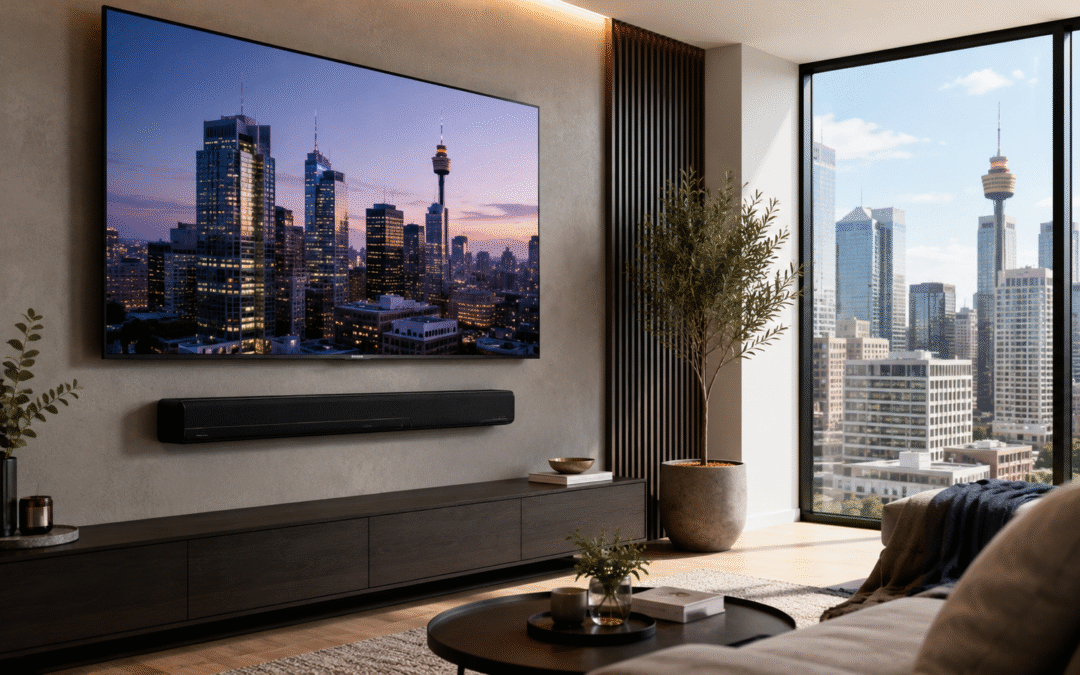
Soundbar setup for wall-mounted TVs in Sydney is not just about placing a speaker under the screen. A good result depends on the TV height, wall type, soundbar bracket, cable route, power location and whether the TV supports the right HDMI connection.
A soundbar can make a wall-mounted TV look cleaner and sound much better, especially in apartments and lounge rooms where people do not want a full speaker system. But the installation needs to be planned properly. A soundbar that is slightly off-centre, mounted too low, blocked by furniture, or connected with the wrong cable can make the whole setup sound poor and feel unfinished. Before mounting a soundbar, it is worth checking how the TV, wall, bracket, cables and devices will work together.
Why soundbar setup matters with wall-mounted TVs
When a TV is wall mounted, the soundbar usually becomes part of the finished look. It should sit neatly below the screen, line up with the TV, and leave enough space between the TV, soundbar and cabinet.
Height matters. If the soundbar is too close to the TV, it can look cramped or block part of the screen. If it is too low, it may look disconnected from the TV and leave an awkward gap. The best position usually depends on the TV size, viewing height, cabinet height and whether the soundbar is being wall mounted or sitting on furniture.
Alignment also matters. Customers often expect the soundbar to sit perfectly centred under the TV, but this is not always possible. The wall structure, bracket type and fixing points can affect where the soundbar can safely go.
Heavy soundbars are not always easy to centre
Some soundbars are light and simple to mount. Others are heavier, longer and more awkward, especially premium Dolby Atmos models with larger speaker arrays. These heavier soundbars can create the same kind of positioning issue that happens with some flush TV brackets.
Many soundbars use two separate small brackets, often one on the left and one on the right. Ideally, those brackets should line up with suitable fixing points behind the wall. But the exact centre position under the TV may not always line up neatly with timber studs, metal studs or other safe fixing points.
In some cases, strong plasterboard fixings may be suitable for a lighter soundbar. For heavier soundbars, fixing into a stud or beam is usually preferable where possible. The problem is that the safest fixing position and the visually perfect centre position are not always the same.
This is why soundbar wall mounting should be checked before drilling. The installer needs to consider the soundbar weight, bracket design, wall type, TV position and whether the soundbar can be centred safely without relying on weak fixing points.
Why soundbar cable concealment is fiddlier than TV cable concealment
Hiding cables for a soundbar can be trickier than hiding cables behind a wall-mounted TV. A TV covers a large area of the wall, so there is usually more room to place a cable entry point behind the screen. A soundbar is much thinner, so there is less space to hide a wall plate or cable exit point without it becoming visible.
For the cleanest result, the cable opening behind the soundbar often needs to be small and carefully positioned. There is usually not enough depth or height to use a normal wall plate behind the soundbar, especially if the soundbar sits close to the wall.
The cable route can also be more complicated. One cable needs to travel upward to the TV for HDMI ARC/eARC or optical audio, while the power cable may need to travel downward to a power point, cabinet or concealed power location. That means cables can be travelling in two directions from a very small space behind the soundbar.
This is where wall structure matters again. If there is horizontal blocking, noggins, metal framing or other services inside the wall, the cable path may not be simple. A soundbar can look like a small job from the outside, but cable concealment can take more planning than expected.
HDMI ARC and eARC: check the TV before buying the soundbar
The soundbar connection is just as important as the wall mounting. Many modern soundbars are designed to connect through HDMI ARC or HDMI eARC rather than only using an optical cable.
ARC stands for Audio Return Channel. It allows audio to travel from the TV back to the soundbar through an HDMI cable. eARC is the newer version and can support higher-quality audio formats when the TV, soundbar and cable are all compatible.
This matters because not every HDMI port on a TV does the same job. A customer may plug the soundbar into a normal HDMI port and wonder why the soundbar is not working properly. The HDMI cable normally needs to be connected to the TV’s ARC or eARC port.
Before installation, it is worth checking the TV model, the soundbar model, the HDMI port labels and the cable being used. A good wall-mounted soundbar setup should not only look clean; it should also be connected in a way that lets the equipment perform properly.
HDMI 2.0 vs HDMI 2.1 for soundbar setups
For many basic soundbar setups, a standard HDMI cable may be enough. But for newer TVs, gaming consoles, Dolby Atmos soundbars and home theatre systems, it is worth checking the HDMI version and cable quality before everything is mounted neatly on the wall.
HDMI 2.1 is more relevant when the setup includes newer devices such as a PlayStation 5, Xbox Series X, 4K/120Hz TV, newer AV receiver, or a soundbar that passes video through to the TV. In these setups, the HDMI cable may need to carry more data than an older cable can handle reliably.
This does not mean every soundbar installation needs the most expensive HDMI cable. It means the cable should suit the TV, soundbar and connected devices. A poor or older cable can cause dropouts, handshake issues, missing audio features, or frustration after the wall mounting is already finished.
The best time to check this is before cable concealment. Once the cables are hidden inside the wall or behind a mounted soundbar, replacing the wrong HDMI cable becomes more annoying than it needed to be.
Optical cable vs HDMI
Optical audio can still work for many soundbar setups. It is simple, reliable and may be enough for basic TV sound.
The limitation is that optical does not provide the same control and audio support as HDMI ARC or eARC. With HDMI ARC or eARC, the TV and soundbar can usually work together more neatly, including volume control through the TV remote and support for more advanced audio formats when the equipment allows it.
For older TVs, optical may be the only practical option. For newer TVs and better soundbars, HDMI ARC or eARC is usually the cleaner choice.
The main point is to check the connection before mounting. The soundbar may look perfect on the wall, but if the wrong cable or port is used, the customer may not get the performance or convenience they expected.
Wall-mounted soundbar vs cabinet placement
A wall-mounted soundbar usually gives the cleanest look, especially when the TV is also wall mounted. It keeps the soundbar aligned with the screen and avoids the setup looking like separate pieces of equipment.
Cabinet placement can still be the better option in some rooms. If the soundbar is very heavy, the wall is difficult, the cables cannot be concealed neatly, or the power point is already in the cabinet area, placing the soundbar on the cabinet may be simpler and cleaner.
The right choice depends on the TV height, soundbar size, wall type, cabinet height and cable plan. Wall mounting looks better when it is planned properly, but it should not be forced if the wall or cable route does not suit it.
When to get professional soundbar installation
Professional soundbar installation is worth considering when the soundbar is heavy, the TV is already wall mounted, the customer wants hidden cables, or the wall type is uncertain.
It is also useful when the setup includes HDMI ARC/eARC, gaming consoles, Foxtel, streaming devices, an AV receiver or a home theatre system. These setups need the right cable path and the right connections before everything is hidden behind the wall or cabinet.
A good soundbar installation should look clean, sit level under the TV and connect properly to the equipment. The goal is not just to hide the cables. The goal is to make the whole TV and soundbar setup work as one finished system.
Soundbar wall mounting across Sydney
Easy TV provides soundbar wall mounting and soundbar setup across Sydney for homes, apartments, townhouses, offices and commercial spaces. We can help with soundbar positioning, wall mounting, cable concealment, HDMI ARC/eARC setup, TV installation and home theatre connections.
If you are planning to wall mount a soundbar, it is better to check the wall, brackets, cable route and TV connections before drilling. A small amount of planning can avoid poor alignment, visible cables, weak fixing points or connection problems later.
For related services, see our soundbar wall mounting services, TV installation page, home theatre setup and TV wall mount gallery.